From documents to decisions in minutes
Spredo uses AI to read your documents, extract the data you need, and organize it into a spreadsheet you can analyze, query, and export.
The real-world workflow
Upload your documents
Drag and drop PDFs, DOCX files, or paste URLs. Spredo handles batches of 20+ files at once.
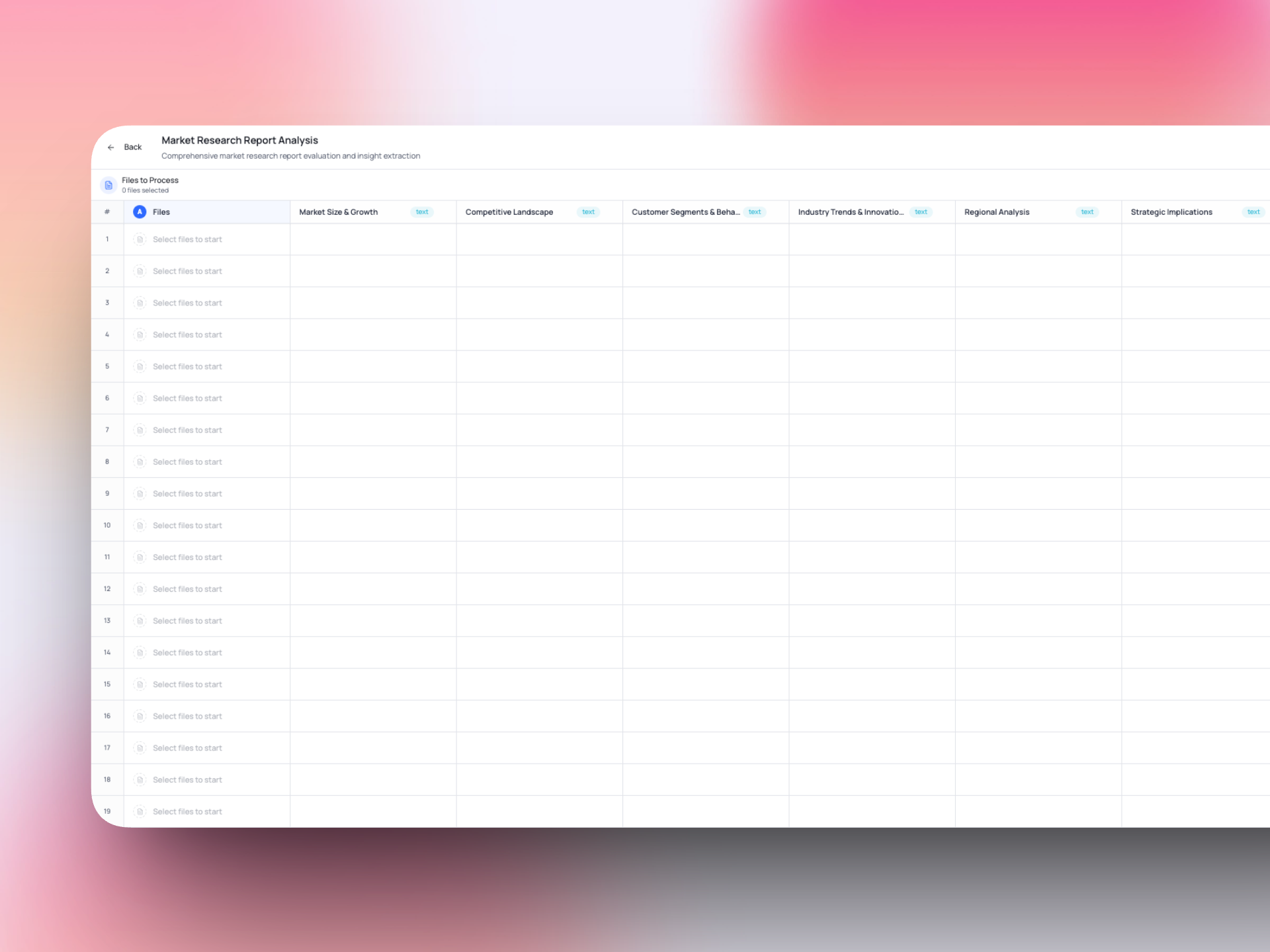
Define what to extract
Create columns for the data points you need, or let AI suggest them based on your documents.
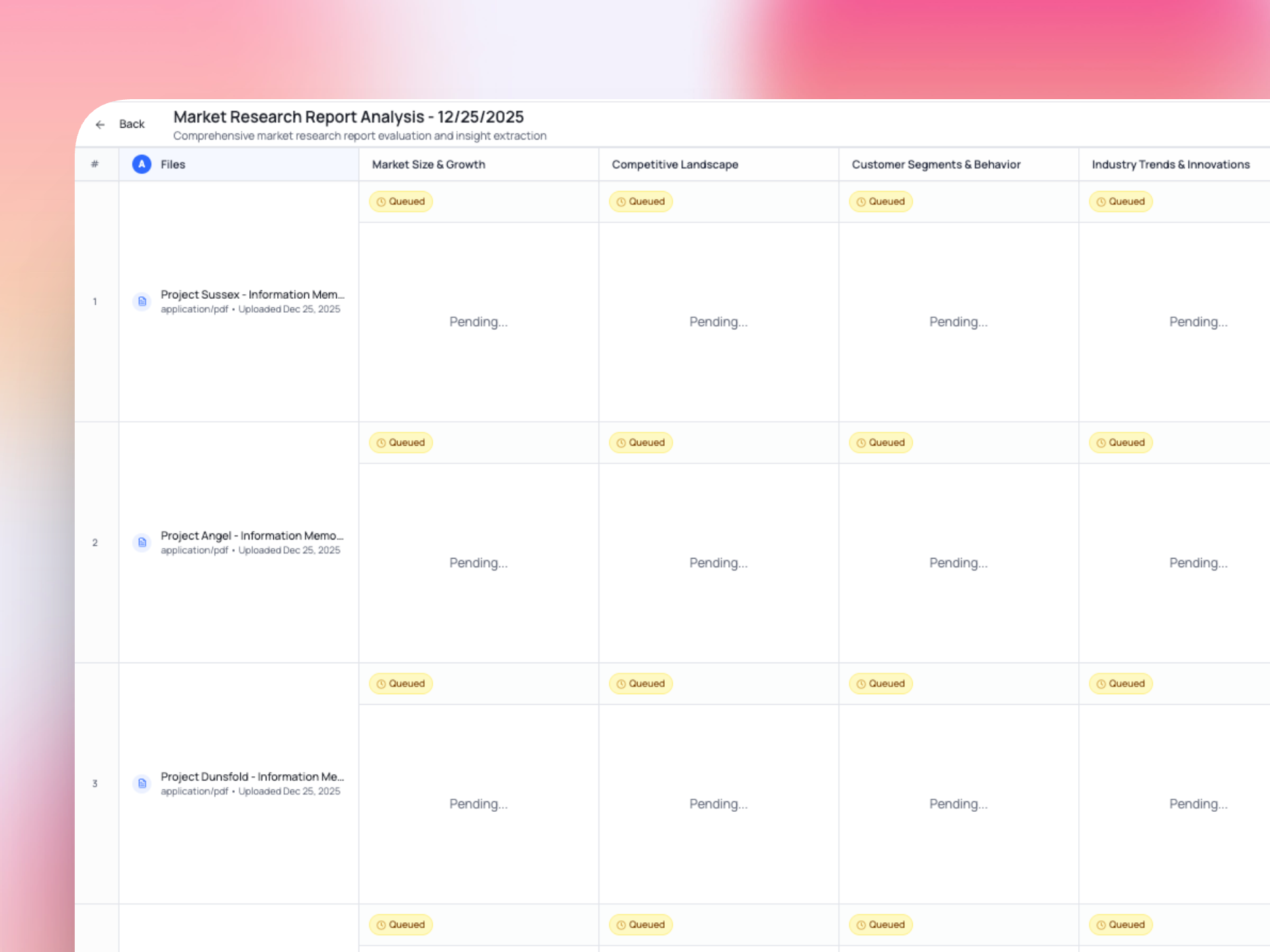
Watch AI process in real-time
See insights stream in as Spredo reads each document and fills your spreadsheet.
Analyze, query, and export
Chat with your data, build dashboards, and export to Excel or Google Sheets.
Column-based extraction: our core innovation
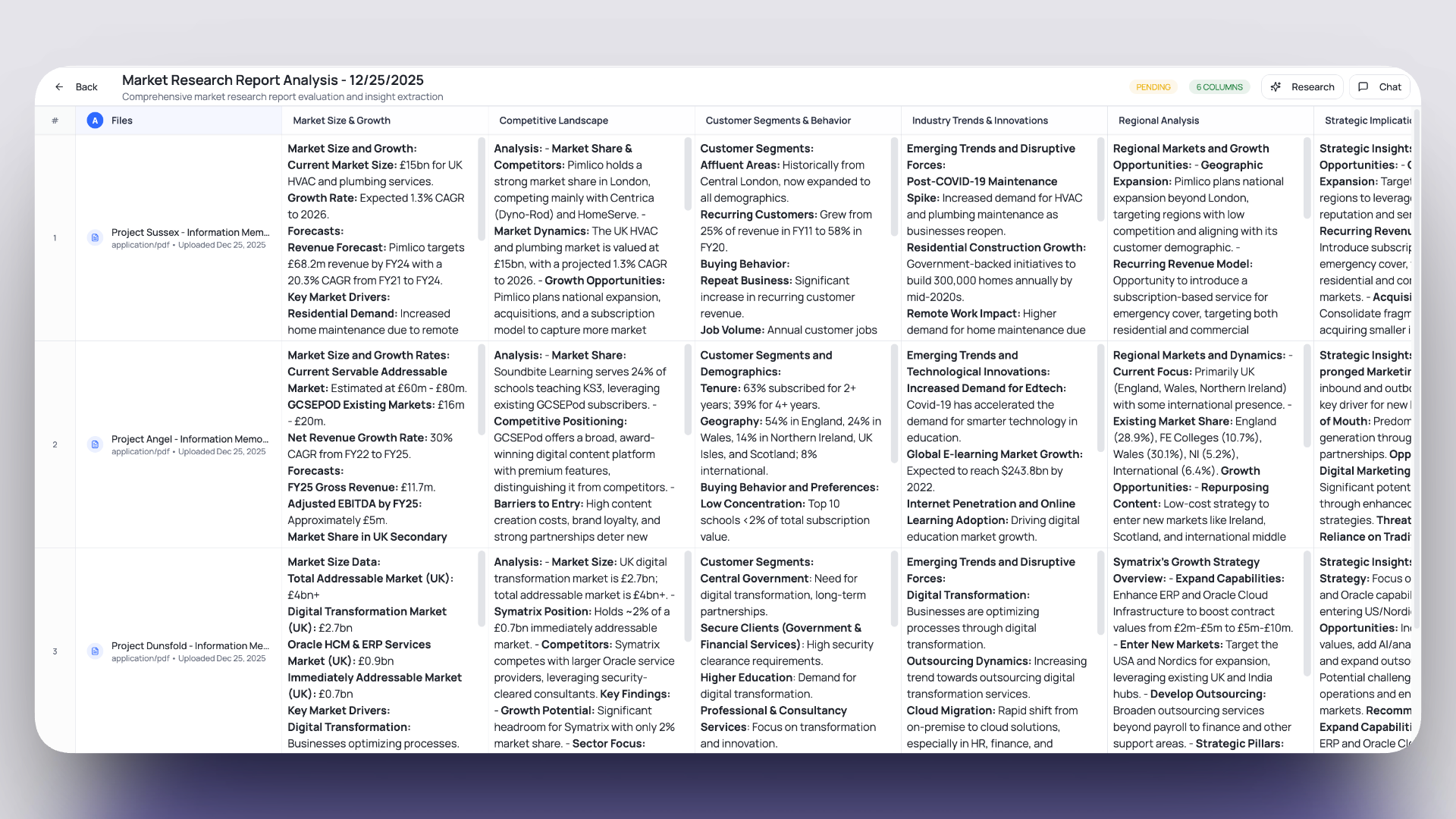
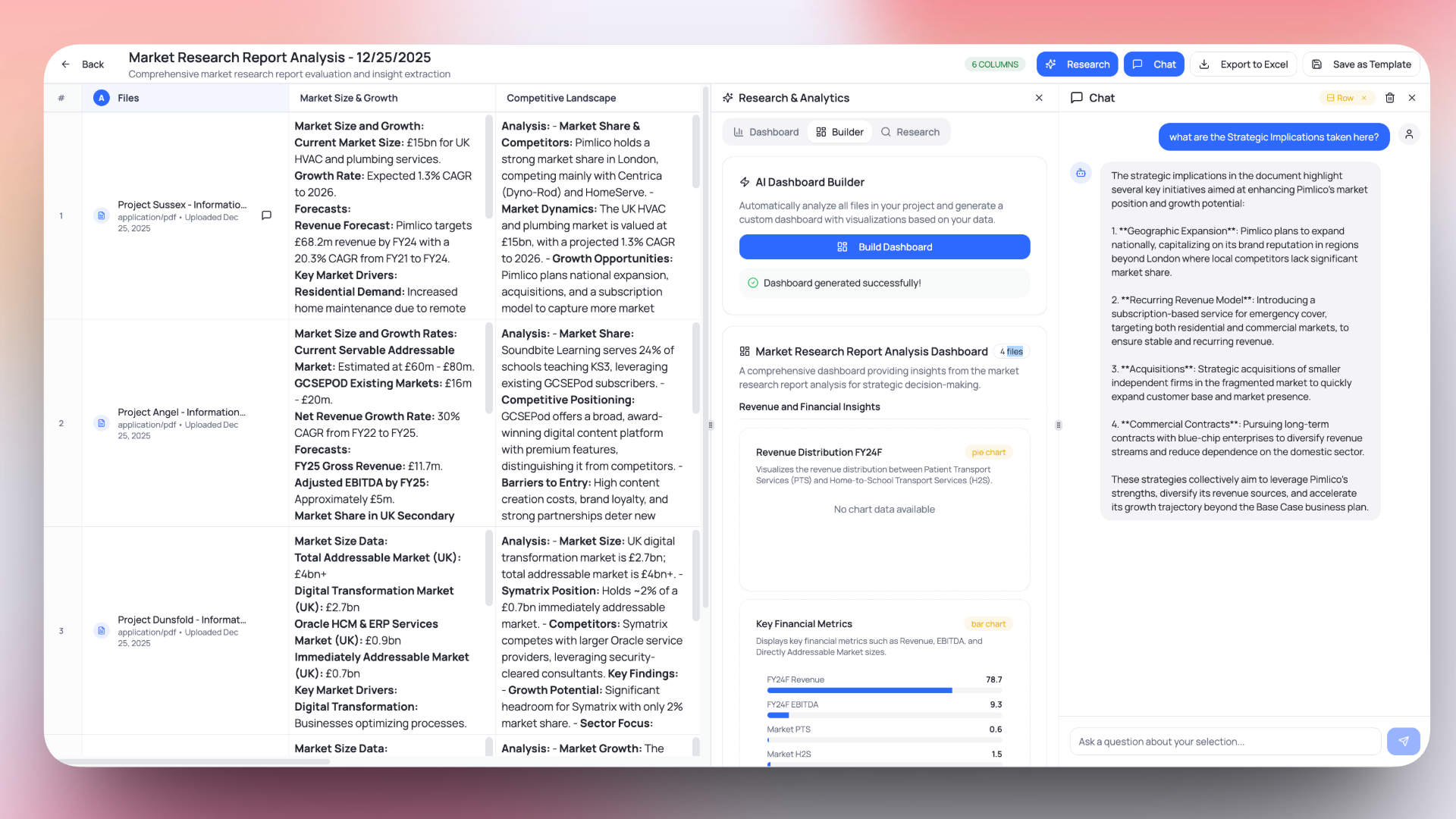
Unlike generic AI tools that give you unstructured summaries, Spredo lets you define exactly what to extract. Each column is a specific data point, and each row is a document.
- Define columns with natural language prompts
- AI understands context and extracts relevant data
- Consistent structure across all documents
- Easy comparison and analysis
Process dozens of documents at once
Don't process documents one at a time. Upload entire folders of reports and watch Spredo fill your spreadsheet in parallel.
20+
Documents
~2 min
Processing time
Unlimited
Columns
PDF, DOCX, URL
File formats
Chat & Analytics
Once your data is structured, explore it with AI chat and build visualizations
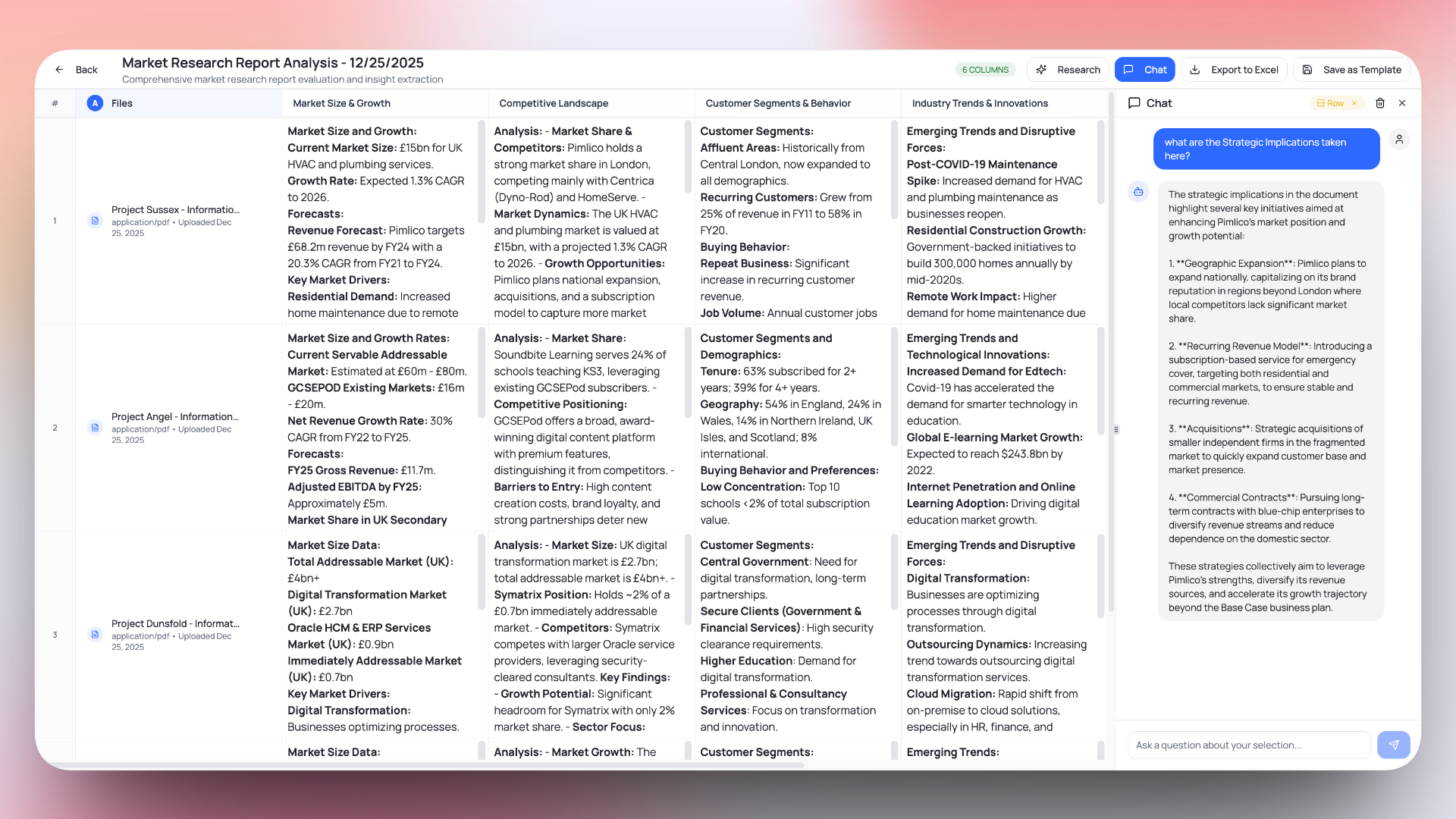
AI Chat
Ask questions about your documents in plain English. Get answers with citations back to the source.
Dashboard Builder
Create charts and visualizations from your extracted data. Share insights with your team.
Save time with reusable templates
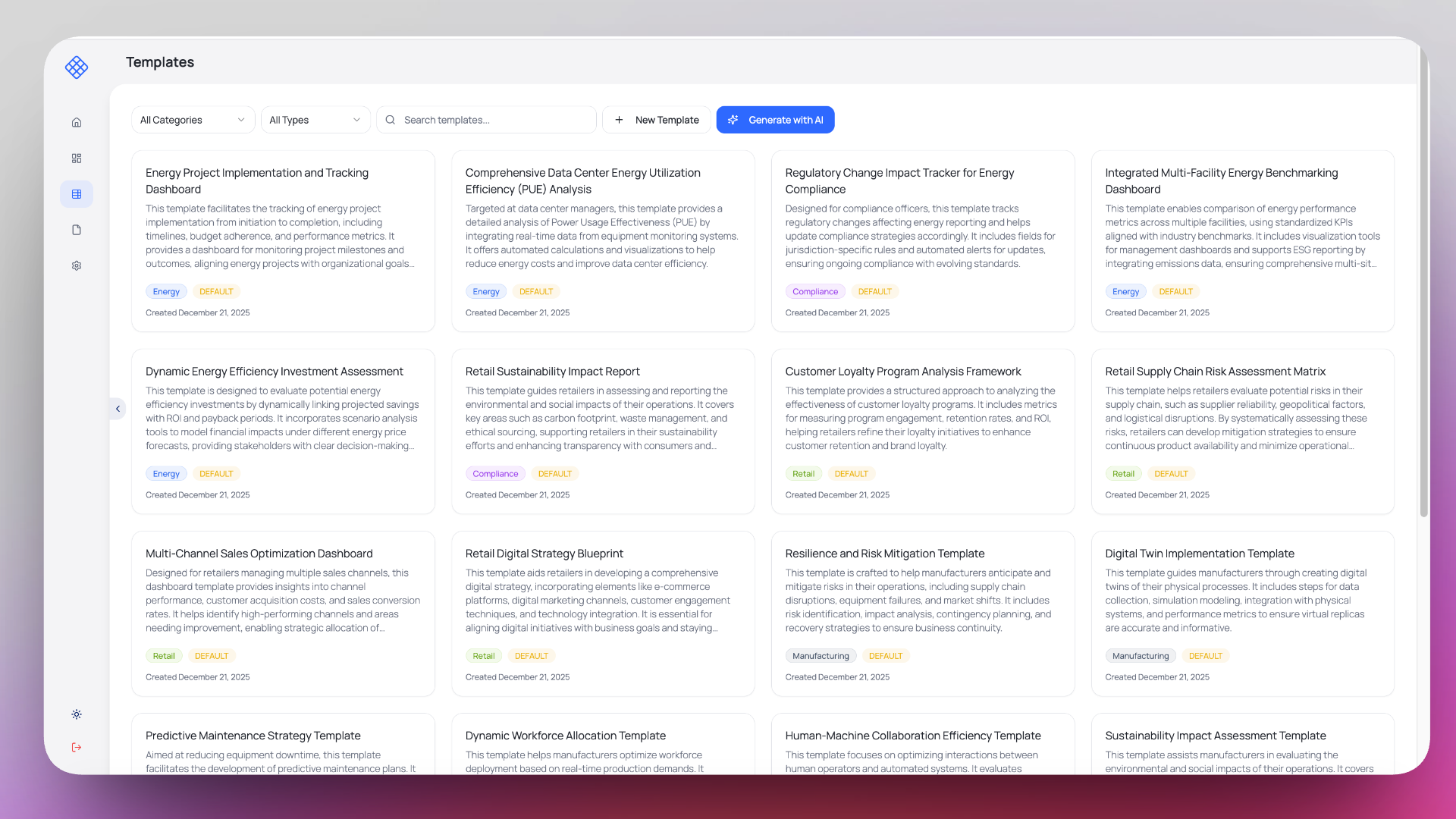
Don't recreate the same extraction setup every time. Save your column configurations as templates or generate new ones with AI.
- Pre-built templates for common use cases
- AI template generator from descriptions
- Share templates with your team
- Apply templates to new projects instantly
Export to your favorite tools
Take your structured data wherever you need it. Export to Excel, CSV, or connect with your existing tools.
Excel / CSV
Download your data in standard formats
Google Sheets
Export directly to your Google account
API Access
Integrate with your existing workflows
Key Definitions
Document Intelligence
The ability to extract structured meaning from unstructured files. Unlike simple text extraction, document intelligence understands context, identifies relevant data points, and organizes information for analysis.
Column-Based Extraction
A methodology where users define specific data points (columns) to extract from documents. Each document becomes a row, and each defined data point becomes a column value—creating a structured dataset from unstructured content.
Extraction Template
A reusable configuration that defines which data points to extract and how to structure them. Templates enable consistent extraction across multiple document sets and can be shared across teams.